
Wires
Wires in LoomCAD represent electrical connections between component pins. They route through bundles and can be visualized with colors, widths, and other properties.
Creating Wires
Using the Wire Tool
- Select Wire tool
 from the Toolbar or press Alt+W
 - Click on a source pin
- Click on a destination pin
- The wire is created and routed through bundles automatically
Using AI Chat
Ask the AI to create wires in natural language:
Add a red wire from J1 pin 1 to J2 pin 1Connect all pins of J1 to corresponding pins of J2Wire Properties
Select a wire and open the Inspector to view and edit properties:
| Property | Description |
|---|---|
| name | Wire identifier |
| color | Wire color (single or multi-color) |
| gauge | Wire gauge/cross-section |
| length | Calculated wire length |
| partNumber | Wire part number |
| manufacturer | Wire manufacturer |
Fetching from DigiKey or Octopart
Wire specifications can be imported from DigiKey or Octopart in two ways:
- During creation — the wire properties dialog that opens after placement includes DigiKey and Octopart buttons.
- When editing — select the wire, open the Inspector, and click DigiKey or Octopart in the action bar.
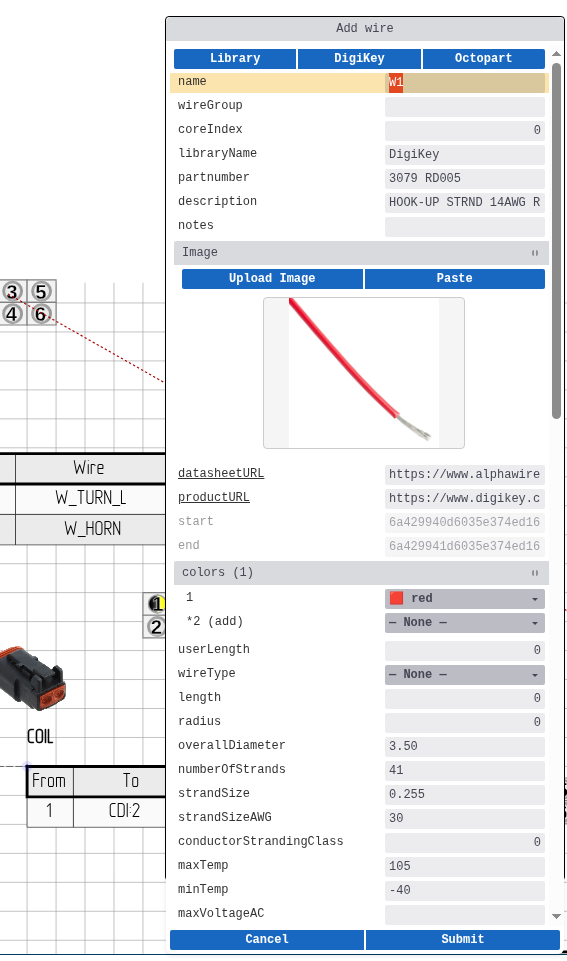
Importable fields include part number, manufacturer, gauge, wire type, colors, and temperature ratings.
See DigiKey Integration for search and import details.
Multi-Color Wires
LoomCAD supports multi-color wires following the DIN 47100 standard. This is useful for identifying wires in complex harnesses.
Multi-color wires are displayed with sectored circles showing all colors in the wire's color scheme.
Wire Visualization
Wires can be visualized in several ways:
- Color coding - Wire colors are shown along the bundle path
- Width visualization - Wire gauge affects visual thickness
- Path highlighting - Selected wires show their complete routing path through bundles
Wire Tables
Wire Tables provide a tabular view of all wire connections.
Sheet Wire Table
Shows all wires on the current sheet with:
- Wire ID
- From/To connections
- Color and gauge
- Length
Component Wire Table
Each component can display its own wire table showing connections to that component's pins. Wire tables support interactive highlighting - clicking a row highlights the corresponding wire and pins on the canvas.
Wire Context Menu
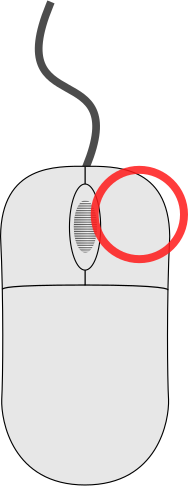 click on a wire row in a wire table to access wire actions:
| Action | Description |
|---|---|
| Copy Wire | Duplicate wire properties to a new connection |
| Open Inspector | View and edit wire properties |
Note: click on the wire table caption shows component options (Flip Component, Open Inspector) instead of wire options.
See Context Menu Quick Reference for details on wire operations.
Wire Routing
Wires are automatically routed through bundles. The routing algorithm:
- Finds the path from source to destination pin
- Routes through connected bundles
- Calculates total wire length
Related Topics
- Bundles - Wire containers and routing
- Components - Component pins that wires connect to
- Manufacturing Data - Wire List export