
Welcome to LoomCAD
LoomCAD is an AI-native wire harness design platform built for modern manufacturing workflows. Unlike traditional CAD tools, LoomCAD combines intelligent automation with professional-grade design capabilities.
Why LoomCAD?
AI-Assisted Design
Work alongside an AI copilot that understands wire harness engineering. Ask questions in plain English, generate scripts automatically, and validate designs with intelligent assistance.
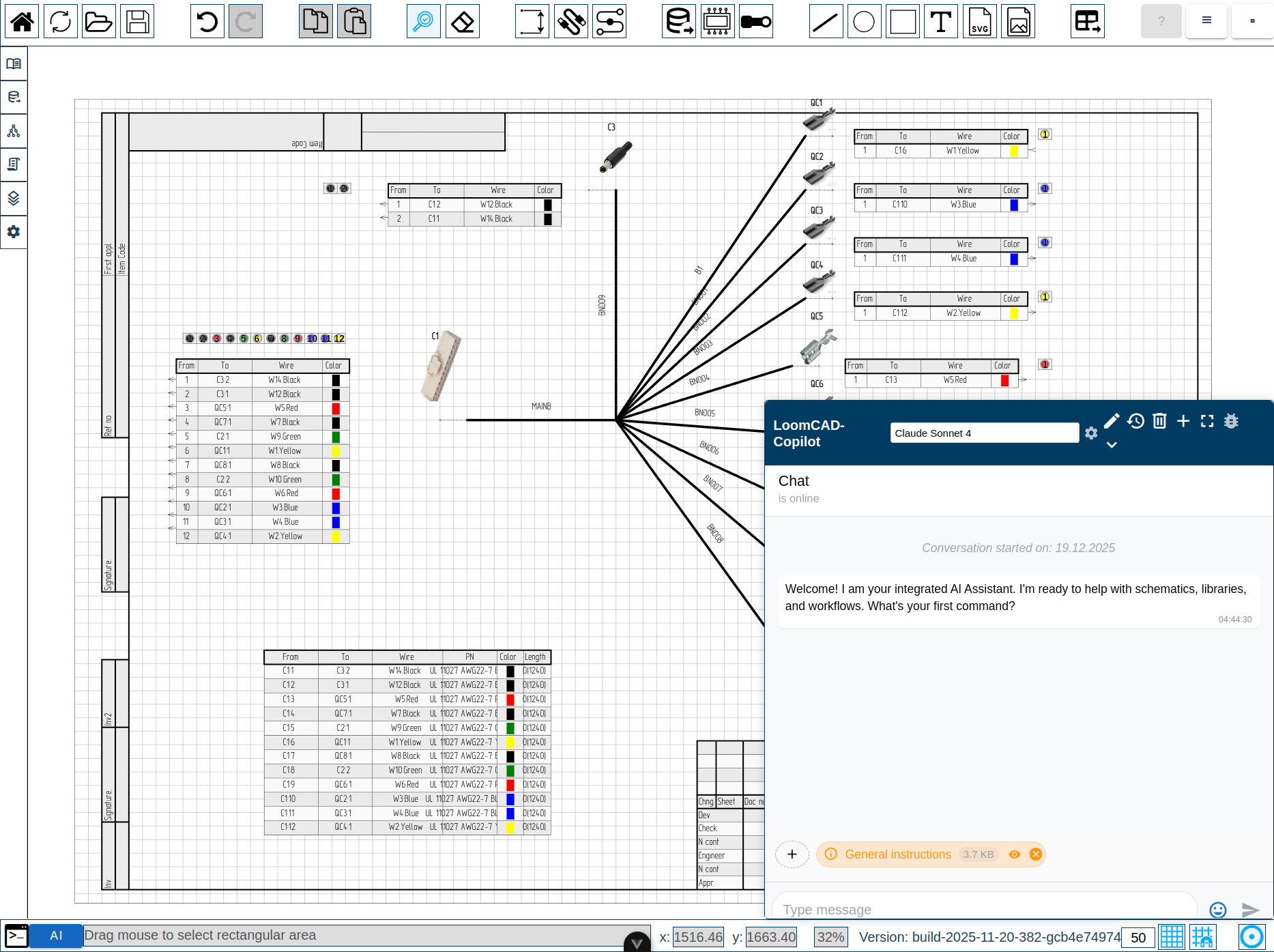
Cloud-First Architecture
Access your designs from anywhere. No installation required - just open your browser and start designing.
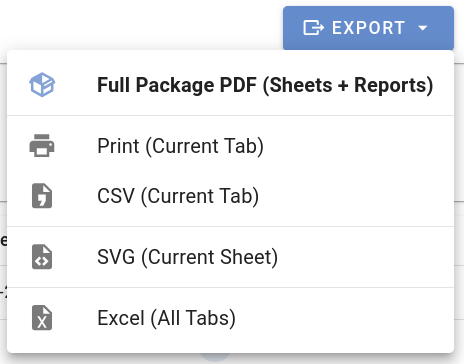
Manufacturing-Ready Output
Generate production-ready documentation: PDF drawings, Excel BOMs, wire cut lists, and connector summaries - all formatted for your manufacturing team.
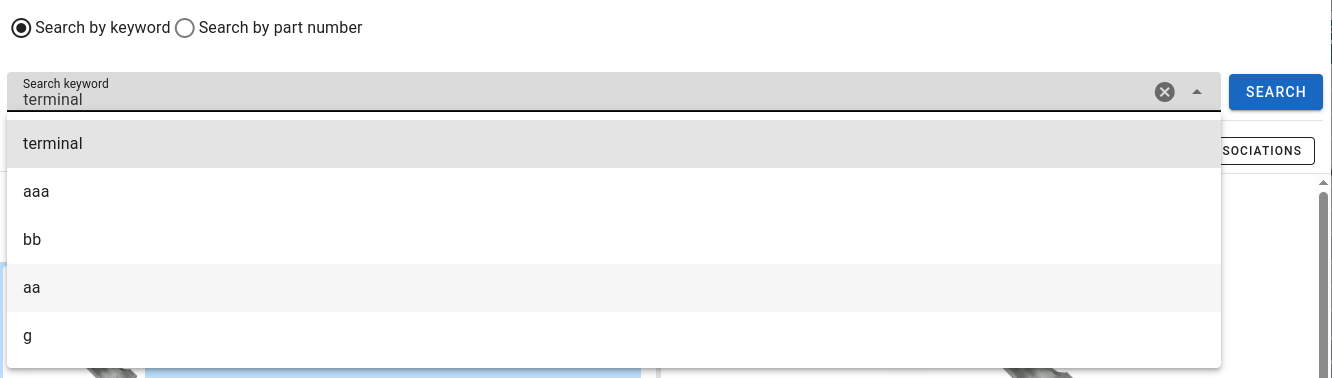
DigiKey Integration
Search and import real component data directly from DigiKey. Get accurate specifications, datasheets, and availability information without leaving LoomCAD.
Who Is This For?
LoomCAD is designed for:
| Audience | Use Case |
|---|---|
| Tier-2/3 Manufacturers | RFQ response, prototype design, production documentation |
| Electrical Engineers | Harness schematic design, wire routing, component selection |
| Production Teams | Manufacturing data, cut lists, assembly instructions |
| Small Design Shops | Fast turnaround projects without expensive CAD licenses |
What You Can Do
Design Wire Harnesses
- Place connectors, terminals, and custom components
- Route wires through bundle paths
- Define wire properties (color, gauge, length)
- Add splices and branches
Automate with Scripts
- Generate repetitive designs automatically
- Save scripts to reusable libraries
- Use AI to write scripts from natural language
Export for Manufacturing
- PDF technical drawings
- Excel BOM with part numbers
- Wire cut lists with lengths
- Connector pin assignments
Quick Navigation
| I Want To... | Go Here |
|---|---|
| Jump right in with a real scenario | Quick Start Scenario |
| Understand the terminology | Core Concepts |
| Follow a step-by-step tutorial | Your First Harness |
| Learn the interface | Interface Overview |
| See keyboard shortcuts | Shortcuts Reference |
System Requirements
LoomCAD runs in modern web browsers:
- Chrome 90+ (recommended)
- Firefox 90+
- Safari 14+
- Edge 90+
For best experience:
- 1920x1080 or higher resolution
- Stable internet connection
- Mouse with scroll wheel recommended
Getting Help
- In-App AI Chat - Ask the copilot for help anytime
- Command Palette - Press Space to search all commands
- This Documentation - Searchable guides and references
- Discord Community - Join our Discord for support and feedback
Ready to Start?
Head to Quick Start Scenario to see LoomCAD in action with a real-world example, or jump to Your First Harness for a hands-on tutorial.