
Scripting Basics
LoomCAD scripts are JavaScript code that automate design tasks. You can write scripts yourself or let the AI generate them from natural language descriptions.
How Scripts Work
Scripts use the Script.* interface to execute drawing and editing operations:
// Create a component named "ECU1" at position (200, 300)
const pins = [];
for (let i = 1; i <= 12; i++) {
  pins.push({ name: String(i), partnumber: "" });
}

Script.drawComponent({
  position: { x: 200, y: 300 },
  pinNumberingOrder: "column",
  flipped: false,
  compElementData: { name: "ECU1", partnumber: "ECU-001", pinCount: 12 },
  pinData: { x: 1, y: 12, pins },
});
Each command:
- Takes a command name (e.g.,
'drawComponent') - Takes an options object with parameters
- Query commands return data directly:
{ success, elements: [...] } - All other commands (draw, update, erase, move) are asynchronous and do not return usable data to your script
- All changes are applied after the script finishes executing
Execution Model
Draw, update, erase, and move commands are asynchronous — they are queued and executed in order. You do not need to check their return values. Errors are automatically collected and reported with line numbers after the script completes.
Query commands are the exception — they execute immediately and return data you can use in your script.
Running Scripts
From AI Chat
When the AI generates code, click Run script:
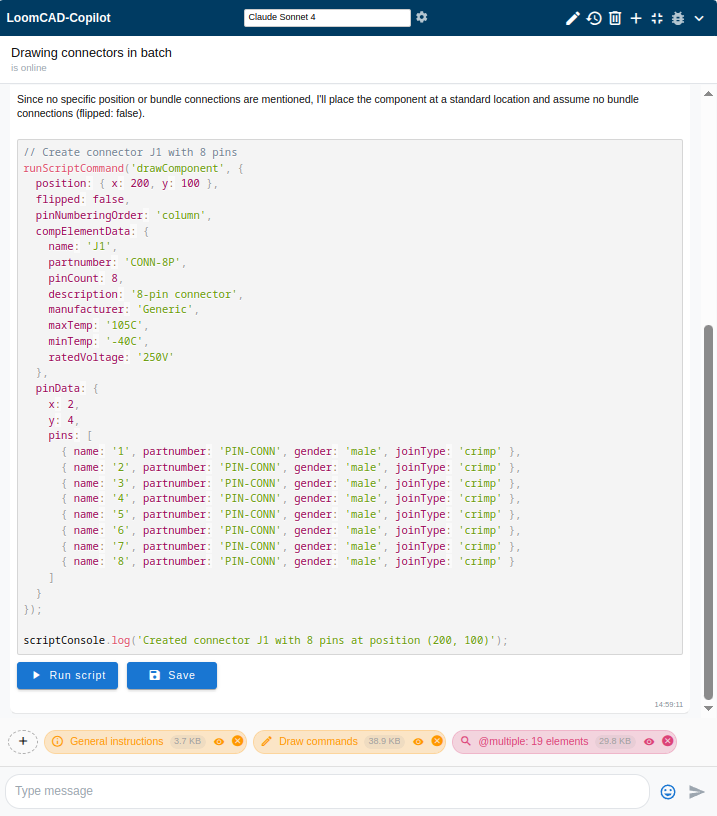
Results appear below the code:
Success: 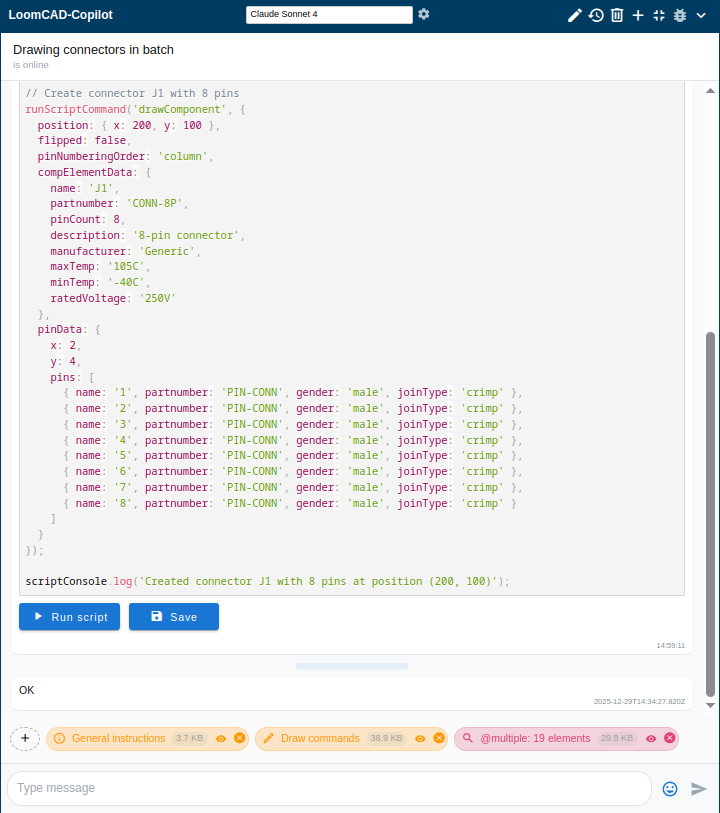
Error: 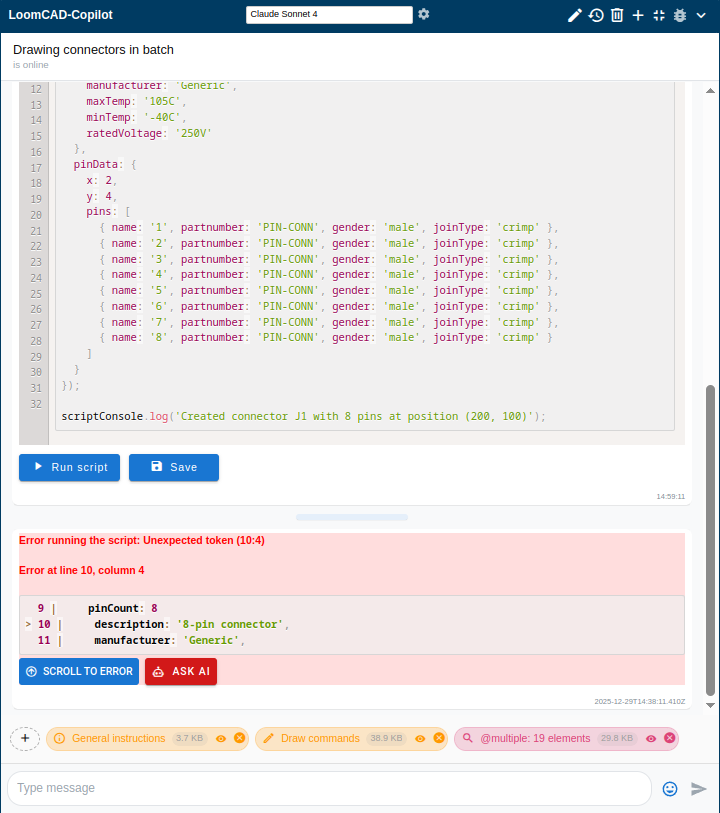
Saved Scripts
Run saved scripts from the Scripts tab in the side menu:
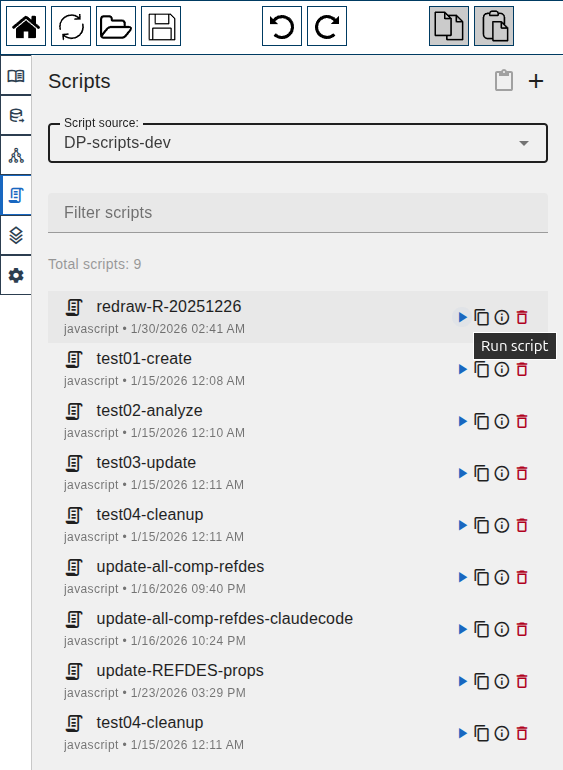 Scripts tab with saved scripts
- Open the Scripts tab
- Select a script source from the dropdown (project scripts or library)
- Click the ▶ (play) button next to any script to run it
Each script in the list shows:
- ▶ — Run the script
- 📋 — Copy script to clipboard
- ℹ — View script info
- 🗑 — Delete script
Automatic Revision Checkpoints
Every time you run a script (from the Scripts tab or AI chat), LoomCAD automatically creates a named revision checkpoint before execution. Named revisions appear bold in the undo/redo history menu, so you can easily find and revert a script's changes in one step.
Script Output
Use scriptConsole (not console) for output:
// Available methods
scriptConsole.log("Information message");
scriptConsole.warning("Warning message");
scriptConsole.critical("Error message");
scriptConsole.table(data); // Display tabular data
Important
Regular console.log() won't display in the script results. Always use scriptConsole.
Command Categories
Draw Commands
Create new elements:
// Create a component
const pins = [];
for (let i = 1; i <= 8; i++) {
  pins.push({ name: String(i), partnumber: "" });
}

Script.drawComponent({
  position: { x: 100, y: 200 },
  pinNumberingOrder: "column",
  flipped: false,
  compElementData: { name: "J101", partnumber: "MOLEX-12345", pinCount: 8 },
  pinData: { x: 1, y: 8, pins },
});

// Create a wire between two pins
Script.drawWire({
  start: { componentName: "ECU1", pinName: "1" },
  end: { componentName: "J101", pinName: "1" },
  name: "PWR_WIRE",
  partnumber: "WIRE-18AWG-RED",
  colors: ["red"],
  coreSizeAWG: "18",
});

// Create a bundle segment
Script.drawBundle({
  start: { x: 100, y: 200 },
  end: { x: 300, y: 200 },
  name: "MAIN_TRUNK",
  partnumber: "BUNDLE-001",
});
Query Commands
Find and inspect elements. Queries use exact name matching (no wildcards):
// Find a component by exact name
const result = Script.queryComponent({ query: "ECU1" });
if (result.success && result.elements.length > 0) {
  const ecu = result.elements[0];
  scriptConsole.log(`ECU has ${ecu.pinCount} pins`);
}

// Get all wires, then filter in JavaScript
const allWires = Script.queryWire({});
const redWires = allWires.elements.filter(
  w => w.colors && w.colors.includes("red")
);
scriptConsole.log(`Found ${redWires.length} red wires`);

// Get all components, then filter by name pattern in JavaScript
const allComponents = Script.queryComponent({});
const jConnectors = allComponents.elements.filter(c => c.name.startsWith("J"));
scriptConsole.log(`Found ${jConnectors.length} J-series connectors`);
No Wildcards
Queries use exact matching only. You cannot use patterns like J* or PWR*. Instead, query all elements and filter with JavaScript.
Update Commands
Modify existing elements. Requires exact name or ID:
// Update a single component by name
Script.updateComponent({
  query: "ECU1",
  update: { partnumber: "NEW-PART-123" },
});

// Update a wire by name
Script.updateWire({
  query: "POWER_WIRE",
  update: { colors: ["red"], coreSizeAWG: "14" },
});

// To update multiple elements, query first then iterate
const allWires = Script.queryWire({});
allWires.elements.forEach(wire => {
  if (wire.name.startsWith("PWR")) {
    Script.updateWire({
      query: wire.name,
      update: { coreSizeAWG: "14" },
    });
  }
});
Move Commands
Reposition elements:
// Move to absolute position
Script.move({
  queries: [{ type: "component", query: "J101" }],
  position: { x: 500, y: 300 },
});

// Move relatively
Script.move({
  queries: [{ type: "component", query: "J101" }],
  position: { dx: 100, dy: -50 },
});
Erase Commands
Delete elements:
// Delete a component by name
Script.eraseComponent({ query: "J101" });

// Delete a wire by name
Script.eraseWire({ query: "W001" });
Caution
Erase commands are immediate. Use Ctrl+Z to undo if needed.
Error Handling
Query commands — check results directly
Query commands return data synchronously. Check the success property:
const result = Script.queryComponent({ query: "ECU1" });

if (!result.success) {
  scriptConsole.critical("Query failed: " + result.error);
} else if (result.elements.length === 0) {
  scriptConsole.warning("Component not found");
} else {
  scriptConsole.log("Found component: " + result.elements[0].name);
}
All other commands — errors are automatic
Draw, update, erase, and move commands are asynchronous. You do not need to check their return values. The script engine automatically collects all errors and reports them with line numbers after the script completes.
Complete Example
Here's a full script that creates a simple harness:
// Create a simple power distribution harness
// Parameters (modify these)
const FUSE_BOX_POS = { x: 200, y: 200 };
const LOAD_COUNT = 4;
const LOAD_SPACING = 150;

// Helper to create pin array
function makePins(count) {
  const pins = [];
  for (let i = 1; i <= count; i++) {
    pins.push({ name: String(i), partnumber: "" });
  }
  return pins;
}

// Create the fuse box
const fuseBoxPinCount = LOAD_COUNT + 1; // +1 for power input
Script.drawComponent({
  position: FUSE_BOX_POS,
  pinNumberingOrder: "column",
  flipped: false,
  compElementData: {
    name: "FUSE_BOX",
    partnumber: "FUSE-4WAY",
    pinCount: fuseBoxPinCount,
  },
  pinData: { x: 1, y: fuseBoxPinCount, pins: makePins(fuseBoxPinCount) },
});

// Create load connectors
for (let i = 1; i <= LOAD_COUNT; i++) {
  Script.drawComponent({
    position: {
      x: FUSE_BOX_POS.x + 400,
      y: FUSE_BOX_POS.y - 150 + i * LOAD_SPACING,
    },
    pinNumberingOrder: "column",
    flipped: false,
    compElementData: {
      name: "LOAD" + i,
      partnumber: "LOAD-CONN",
      pinCount: 2,
    },
    pinData: { x: 1, y: 2, pins: makePins(2) },
  });
}

// Create wires from fuse box to loads
for (let i = 1; i <= LOAD_COUNT; i++) {
  // Power wire
  Script.drawWire({
    start: { componentName: "FUSE_BOX", pinName: String(i) },
    end: { componentName: "LOAD" + i, pinName: "1" },
    name: "PWR_LOAD" + i,
    partnumber: "WIRE-16AWG-RED",
    colors: ["red"],
    coreSizeAWG: "16",
  });

  // Ground wire (from load pin 2, no destination - open end)
  Script.drawWire({
    start: { componentName: "LOAD" + i, pinName: "2" },
    end: { componentName: "LOAD" + i, pinName: "2" }, // Same pin for stub
    name: "GND_LOAD" + i,
    partnumber: "WIRE-16AWG-BLK",
    colors: ["black"],
    coreSizeAWG: "16",
  });
}

scriptConsole.log("Created power distribution with " + LOAD_COUNT + " loads");
// Note: All changes are applied after the script finishes
Best Practices
Use Variables for Repeated Values
// Good: Easy to modify
const WIRE_GAUGE = "18";
const SIGNAL_COLOR = "white";

Script.drawWire({
  name: "SIG1",
  coreSizeAWG: WIRE_GAUGE,
  colors: [SIGNAL_COLOR],
  fromComponent: "ECU",
  fromPin: 1,
  toComponent: "SENSOR",
  toPin: 1,
});
Comment Your Intent
// Create connector J1 - main power input from vehicle battery
Script.drawComponent({
  name: "J1",
  // Position at left edge of sheet
  x: 50,
  y: 200,
  pinCount: 4,
});
Query Before Bulk Operations
// First, query and filter to see what will be affected
const allWires = Script.queryWire({});
const targetWires = allWires.elements.filter(w => w.coreSizeAWG === "22");
scriptConsole.log("Will update " + targetWires.length + " wires");

// Then update each one
targetWires.forEach(wire => {
  Script.updateWire({
    query: wire.name,
    update: { coreSizeAWG: "20" },
  });
});
Use Exact Names
// ✅ CORRECT: Use exact component name
Script.queryComponent({ query: "POWER_CONNECTOR" });

// ❌ WRONG: Wildcards don't work
Script.queryComponent({ query: "POWER*" });

// ✅ CORRECT: Filter in JavaScript instead
const all = Script.queryComponent({});
const power = all.elements.filter(c => c.name.startsWith("POWER"));
Next Steps
- Script Libraries - Save and reuse scripts
- Command Reference - Full API documentation
- Debugging Scripts - Fix errors in scripts
- Prompt Recipes - AI prompts that generate good scripts