
Manufacturing Data
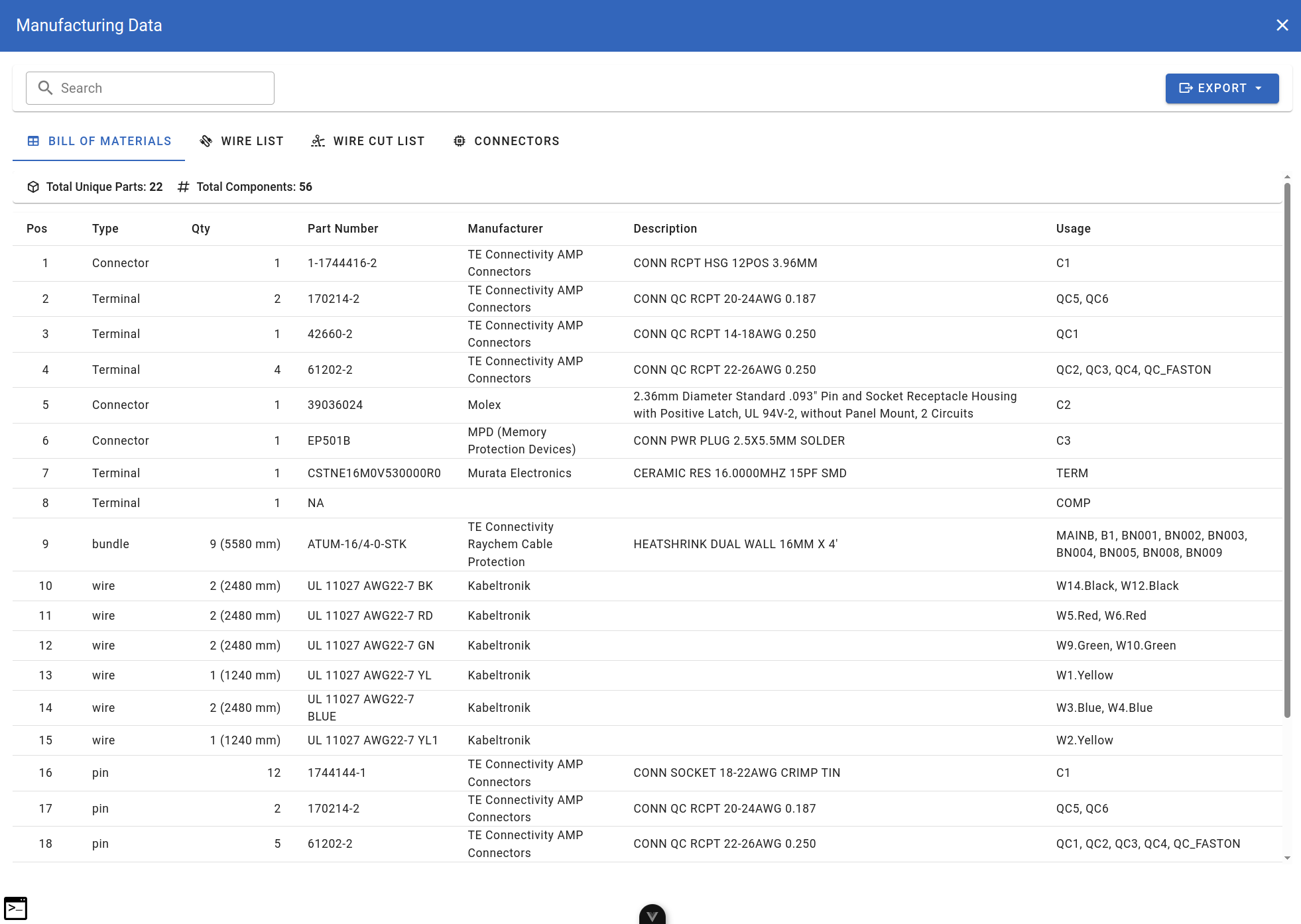
The Manufacturing Data dialog provides comprehensive reports for production and procurement. Access it by clicking the Manufacturing button in the Toolbar.
manufacturing-bom.png
Manufacturing Data dialog with Bill of Materials tab
Dialog Overview
The dialog contains:
- Search field — filter data across all columns
- Export button — export data in various formats
- Four tabs:
 [Bill of Materials](#bill-of-materials) — complete parts list
  [Wire List](#wire-list) — individual wire routing
  [Wire Cut List](#wire-cut-list) — grouped wire specifications for cutting
  [Connectors](#connectors) — connector and terminal summary
Bill of Materials
The BOM tab lists all components required for the harness.
manufacturing-bom.png
Bill of Materials tab showing all components
Summary bar:
- Total Unique Parts
- Total Components
Columns:
| Column | Description |
|---|---|
| Pos | Position number |
| Type | Component type (Connector, Terminal, bundle, wire, pin) |
| Qty | Quantity needed |
| Part Number | Manufacturer part number |
| Manufacturer | Component manufacturer |
| Description | Component description |
| Usage | Where the component is used (component references) |
Wire List
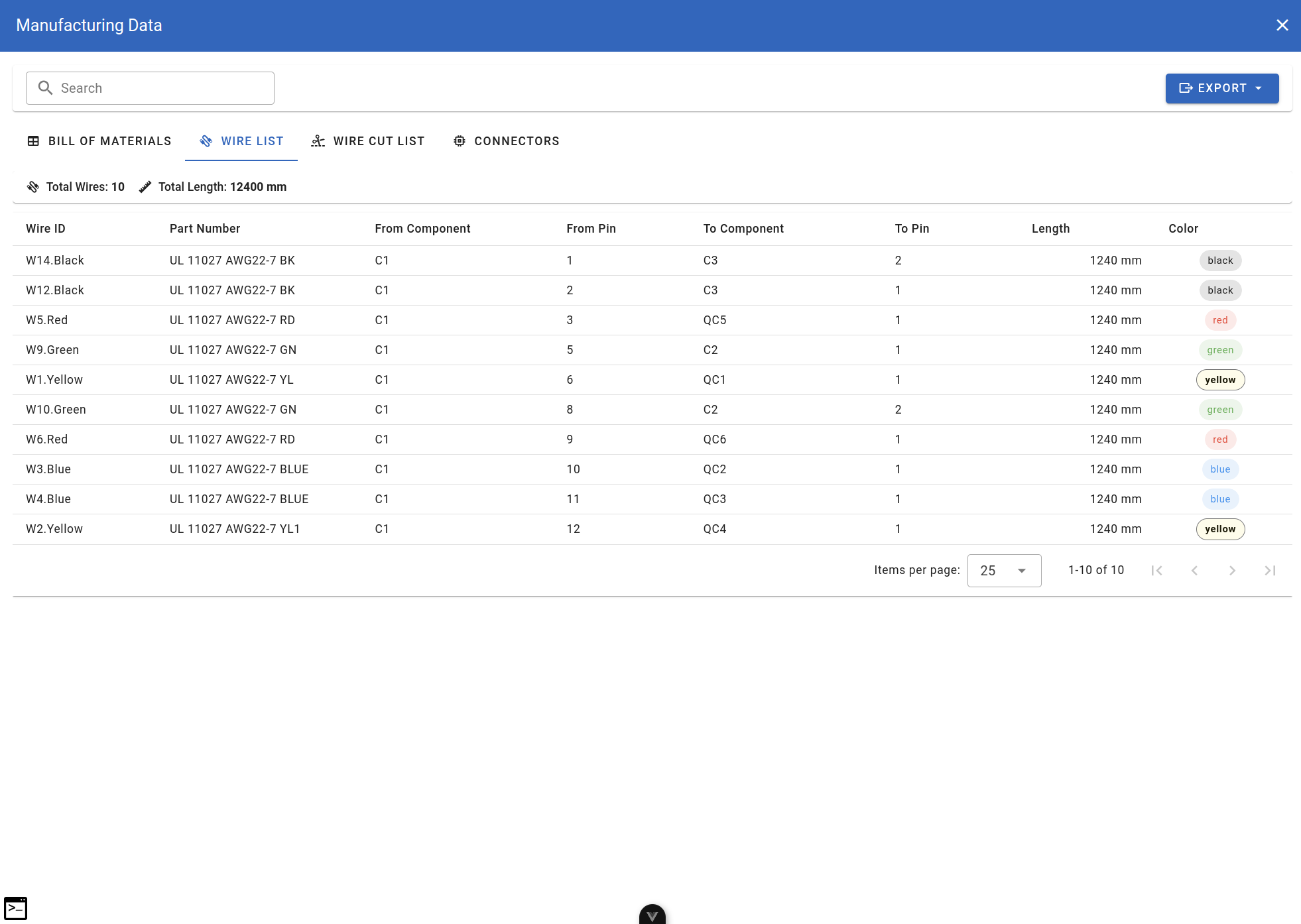
The Wire List tab shows all individual wires with their routing information.
manufacturing-wire-list.png
Wire List tab showing individual wire routing
Summary bar:
- Total Wires
- Total Length
Columns:
| Column | Description |
|---|---|
| Wire ID | Unique wire identifier |
| Part Number | Wire part number |
| From Component | Source component |
| From Pin | Source pin number |
| To Component | Destination component |
| To Pin | Destination pin number |
| Length | Wire length |
| Color | Wire color (shown as colored badge) |
Wire Cut List
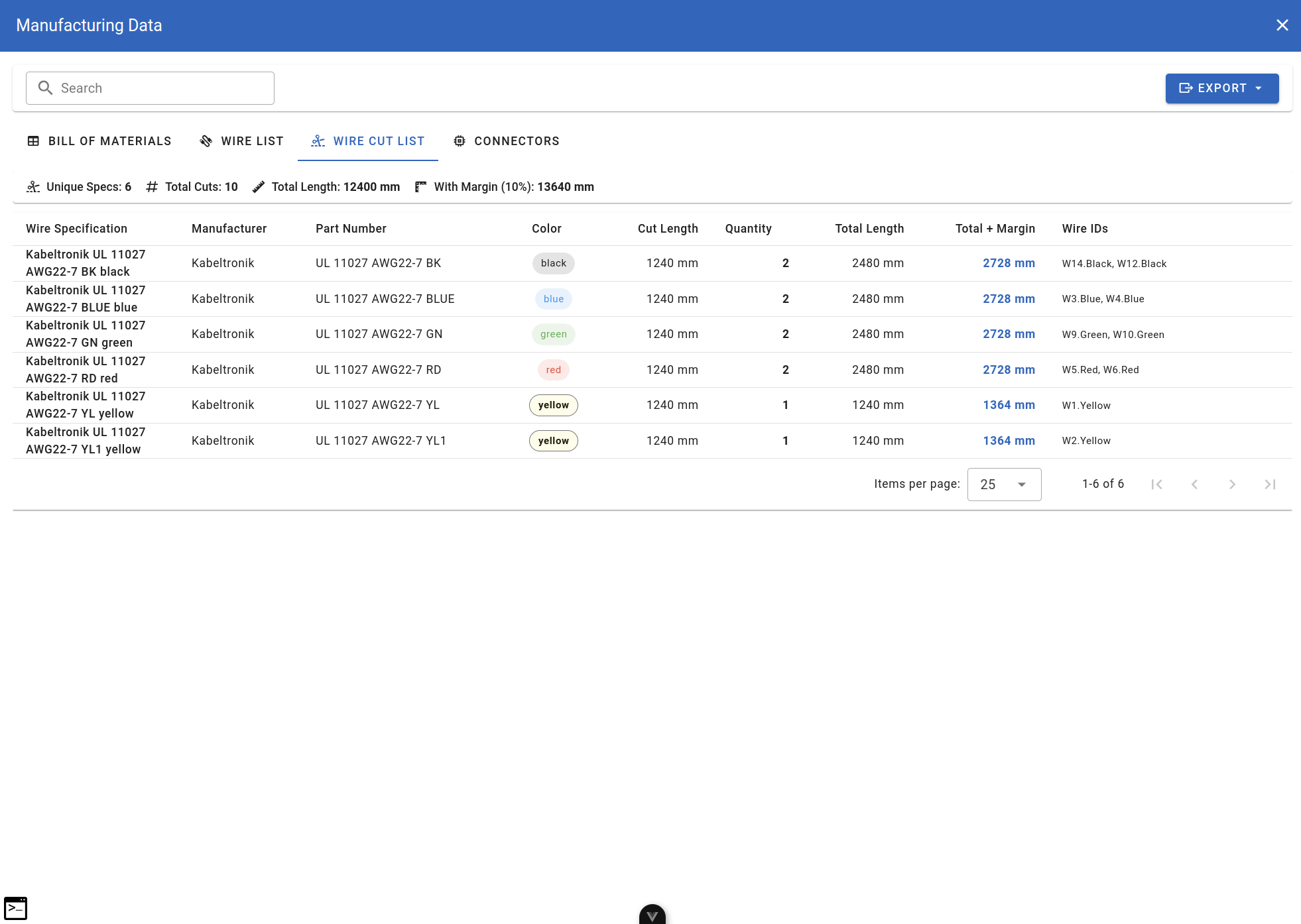
The Wire Cut List groups wires by specification for cutting operations.
manufacturing-wire-cut-list.png
Wire Cut List tab with grouped wire specifications
Summary bar:
- Unique Specs — number of unique wire specifications
- Total Cuts — total number of wire cuts needed
- Total Length — sum of all wire lengths
- With Margin (10%) — total length with 10% margin added
Columns:
| Column | Description |
|---|---|
| Wire Specification | Full wire specification name |
| Manufacturer | Wire manufacturer |
| Part Number | Wire part number |
| Color | Wire color (shown as colored badge) |
| Cut Length | Length of each cut |
| Quantity | Number of cuts needed |
| Total Length | Sum of all cuts for this spec |
| Total + Margin | Total with margin (clickable link) |
| Wire IDs | List of wire IDs using this spec |
Connectors
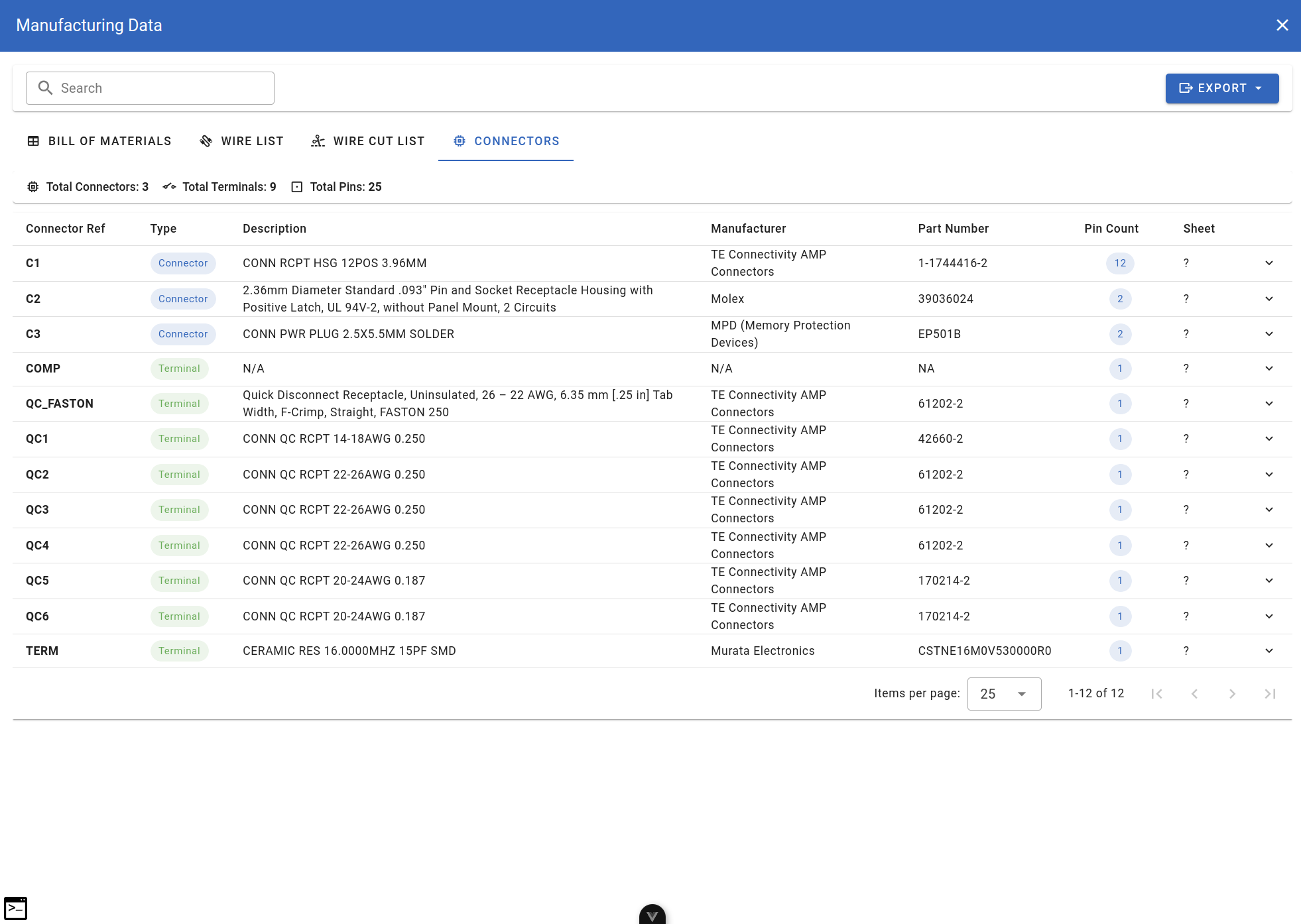
The Connectors tab lists all connectors and terminals in the design.
manufacturing-connectors.png
Connectors tab listing all connectors and terminals
Summary bar:
- Total Connectors
- Total Terminals
- Total Pins
Columns:
| Column | Description |
|---|---|
| Connector Ref | Component reference name |
| Type | Connector or Terminal (shown as badge) |
| Description | Component description |
| Manufacturer | Component manufacturer |
| Part Number | Manufacturer part number |
| Pin Count | Number of pins (shown as badge) |
| Sheet | Sheet location (expandable) |
Export Options
 click the Export button to see export options: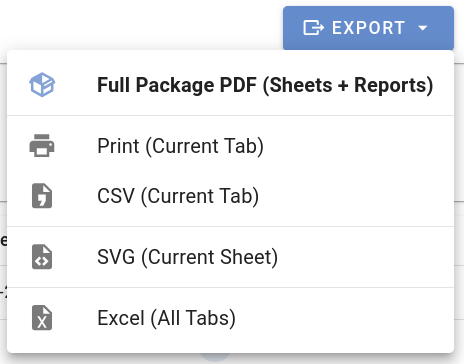
manufacturing-export-menu.png
Export dropdown menu with available formats
| Option | Description |
|---|---|
| Full Package PDF (Sheets + Reports) | Export complete documentation with all sheets and reports |
| Print (Current Tab) | Print the currently visible tab |
| CSV (Current Tab) | Export current tab data as CSV file |
| SVG (Current Sheet) | Export current sheet as SVG vector graphic |
| Excel (All Tabs) | Export all tabs to Excel workbook |
Table Features
All tables in the Manufacturing Data dialog support:
- Sorting — click column header to sort
- Search — use the search field to filter rows
- Pagination — navigate large datasets with page controls
- Items per page — adjust how many rows to display